How to Use Best Choice Air Fryer With 8 Program: Easy Guide
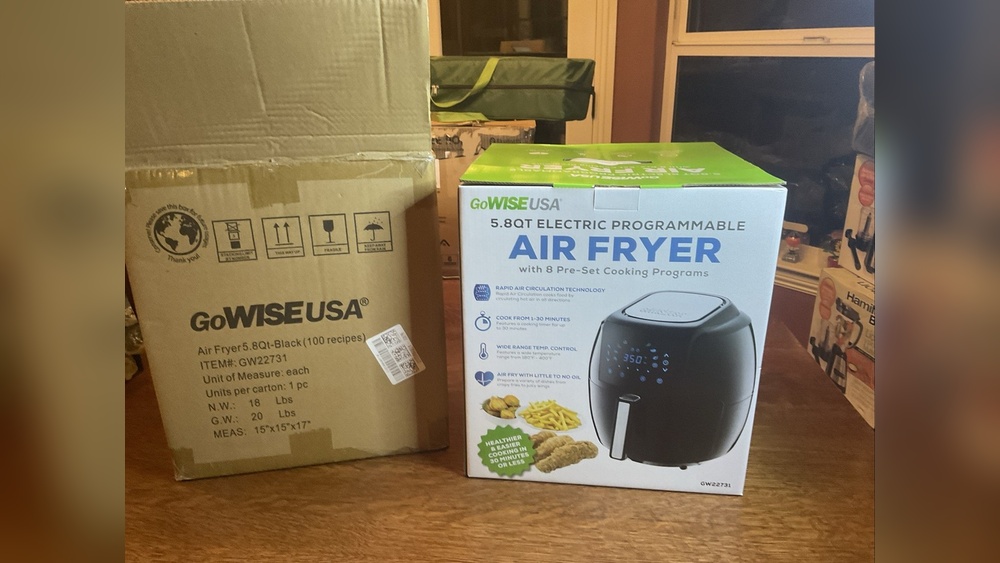
Many home cooks want easy, fast, and healthy ways to make meals. The Best Choice Air Fryer With 8 Program is a great solution for busy kitchens. It’s not just a fryer—it’s a tool that helps you cook many different dishes with less oil and less time. But when you first see all those buttons and programs, it can feel confusing. How do you use each of the 8 programs? How do you get the best results for your favorite foods?
If you’re new to air fryers or just want to use your Best Choice air fryer to its full potential, this guide will help you. We’ll go step-by-step through each program and share tips that even experienced users sometimes miss.
Getting To Know Your Best Choice Air Fryer
Before you start cooking, it’s important to understand your machine. The Best Choice Air Fryer With 8 Program usually comes with a digital screen, preset buttons, a removable basket, and adjustable temperature and time controls. The 8 preset programs are set for the most common foods people cook in air fryers.
Key Features
- Digital control panel: Lets you choose programs, set time and temperature.
- 8 cooking programs: Pre-set for popular foods.
- Non-stick basket: Easy to clean and prevents food from sticking.
- Auto shut-off: For safety, the fryer turns off when the timer ends.
Why Use The Preset Programs?
Preset programs are designed for ease of use. They set the right temperature and time for different foods, so you don’t have to guess. This reduces mistakes and gives you more consistent results.
How To Use The 8 Programs
Let’s look at each program one by one. You’ll learn what it’s for, how to use it, and a tip to get the best results.
1. French Fries
This is the most popular program. To use it, place cut potatoes or frozen fries in the basket. Do not overfill—the air must circulate.
- Default temp: 400°F (200°C)
- Default time: 18 minutes
Tip: Shake the basket halfway through for even cooking. For homemade fries, soak sliced potatoes in water for 30 minutes, then dry before air frying. This removes starch and makes them crispier.
2. Chicken
Perfect for chicken wings, drumsticks, or small thighs. Lay pieces in a single layer.
- Default temp: 380°F (193°C)
- Default time: 20 minutes
Tip: Spray a little oil on the chicken for a golden color. For larger pieces, use a meat thermometer to check for doneness—internal temp should be 165°F (74°C).
3. Steak
Great for small steaks or beef cuts. Add seasoning before cooking.
- Default temp: 400°F (200°C)
- Default time: 12 minutes
Tip: Turn steaks halfway for grill-like sear on both sides. Let meat rest for 2–3 minutes after air frying to keep juices inside.
4. Fish
This program is set for fillets or small pieces of fish.
- Default temp: 350°F (177°C)
- Default time: 10 minutes
Tip: Place fish on a small piece of parchment paper to prevent sticking. For extra flavor, add lemon slices or herbs on top before cooking.
5. Shrimp
For shrimp, remove shells and pat dry before air frying.
- Default temp: 370°F (188°C)
- Default time: 8 minutes
Tip: Toss shrimp with a light coat of oil and spices. Do not crowd the basket; this ensures they cook evenly and stay juicy.
6. Cake
Yes, you can bake in your air fryer! Use a small, oven-safe cake pan.
- Default temp: 320°F (160°C)
- Default time: 25 minutes
Tip: Grease the pan well and do not fill more than halfway—air fryers bake cakes faster than regular ovens. Check doneness with a toothpick after 20 minutes.
7. Pizza
Best for small or mini pizzas. Place pizza directly in the basket or on foil.
- Default temp: 360°F (182°C)
- Default time: 12 minutes
Tip: For crispy crust, preheat the air fryer first. Add extra cheese or toppings after the halfway point to avoid burning.
8. Vegetables
Perfect for broccoli, carrots, or mixed veggies. Cut into even pieces.
- Default temp: 360°F (182°C)
- Default time: 12 minutes
Tip: Toss veggies in a little oil and your favorite seasoning. Stir or shake once during cooking for even browning.
Step-by-step: Using A Preset Program
- Plug in your air fryer and place it on a stable surface.
- Open the basket and add your food. Do not overfill.
- Close the basket securely.
- Turn on the air fryer with the power button.
- Press the program button for the food you are making (e.g., “Fries”).
- The air fryer sets the time and temp automatically. You can adjust if needed.
- Press the start button. The fryer will begin cooking.
- Shake or turn food if needed (the fryer will beep to remind you, depending on the model).
- When done, the fryer will beep and shut off. Remove food carefully—it’s hot!
Manual Mode Vs. Preset Programs
You can always set your own time and temperature, but for most people, the preset programs make things easier. Here’s a quick comparison:
| Feature | Preset Program | Manual Mode |
|---|---|---|
| Ease of Use | Very easy | Requires guesswork |
| Speed | Faster setup | Slower to set each time |
| Flexibility | Limited | Full control |
| Consistency | Very consistent | May vary by user |
Insight: Use manual mode for recipes outside the 8 programs, or if you want to experiment. Otherwise, the presets are reliable for most everyday meals.

Credit: www.amazon.com.be
Cleaning And Maintenance Tips
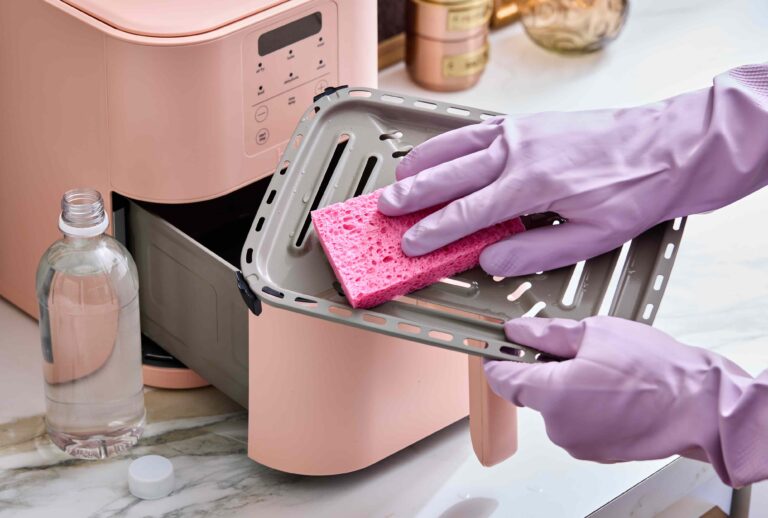
Keeping your air fryer clean is important for taste and safety.
- Unplug before cleaning.
- Let parts cool fully before washing.
- Wash basket and tray with warm, soapy water.
- Wipe the outside with a damp cloth.
- Do not use metal tools on the basket—they can scratch the non-stick surface.
Non-obvious tip: Clean the heating element (at the top inside the fryer) with a soft brush every few weeks. Oil can build up here and cause smoke.
Safety Precautions
Air fryers are safe, but hot air and surfaces can burn.
- Do not touch the basket without oven mitts.
- Keep the air fryer on a heat-safe, flat surface.
- Allow space behind and above for air flow.
- Do not block air vents.
- Supervise children when the fryer is in use.
Practical Examples And Cooking Times
Here are some sample foods, their program, and ideal serving size:
| Food | Program | Serving Size | Cooking Time |
|---|---|---|---|
| Frozen fries | French Fries | 400g | 18 min |
| Chicken wings | Chicken | 6 pieces | 20 min |
| Fish fillets | Fish | 2 fillets (150g each) | 10 min |
| Broccoli | Vegetables | 300g | 12 min |
Note: These times are starting points. Always check food for doneness, especially with meat.
Common Mistakes To Avoid
- Overcrowding the basket: This blocks air flow and makes food soggy. Cook in batches if needed.
- Skipping the shake or stir: Even cooking needs movement, especially for fries and veggies.
- Not preheating: Some foods, like pizza or steak, get a better result if you let the air fryer heat up for 2–3 minutes first.
- Using too much oil: The air fryer needs only a light spray or brush of oil. Too much can make food greasy and cause smoke.
- Ignoring the manual: Each air fryer model is a bit different. Read your manual for special instructions or warnings.
Two Non-obvious Tips For Great Results
- Lightly spray oil on food before air frying—not the basket. This helps crisp and brown the surface without excess oil.
- Let food rest a few minutes after cooking. Steam inside will finish cooking and moisture will settle, making food crispier.
Why People Love The 8 Program Air Fryer
More people are choosing air fryers for their kitchens. According to a 2023 survey, over 40% of U.S. households now own an air fryer. The main reasons:
- Healthier cooking: Up to 80% less oil than deep frying.
- Faster meals: Many foods cook in half the time of an oven.
- Versatility: One machine can fry, bake, roast, and reheat.
The 8 preset programs make it easy for everyone, even beginners, to get good results right away.
When To Adjust The Preset Programs
Sometimes, you may need to change the time or temperature:
- If food is not cooked enough, add 2–3 minutes.
- For extra crispy food, raise the temp by 10°F (5°C).
- For delicate foods, lower the temp and cook longer.
- High altitude or very humid places may need small adjustments.
Comparing Air Fryer Programs To Other Methods
How does the Best Choice Air Fryer’s program system compare to a traditional oven or deep fryer?
| Method | Oil Used | Time (Fries) | Cleanup |
|---|---|---|---|
| Air Fryer (Preset) | 1–2 tsp | 18 min | Easy |
| Oven | 1 tbsp | 30 min | Medium |
| Deep Fryer | 2–3 cups | 10 min | Messy |
The air fryer uses much less oil and is easier to clean.

Credit: www.amazon.ie
Where To Find More Recipes And Guidance
If you want to explore more recipes and air fryer tips, check resources like the official air fryer website or trusted cooking sites. One good place is Consumer Reports for unbiased advice.
Frequently Asked Questions
What Can I Cook With The Best Choice Air Fryer’s 8 Programs?
You can cook fries, chicken, steak, fish, shrimp, cake, pizza, and vegetables using the preset programs. The air fryer also works for reheating leftovers, roasting nuts, or baking small items in manual mode.
Is It Safe To Use Foil Or Parchment Paper In The Air Fryer?
Yes, you can use foil or parchment paper for easy cleanup, but always leave space for air to flow. Do not cover the basket completely or let paper touch the heating element.
How Much Oil Should I Use In The Air Fryer?
Only a small amount is needed—usually 1–2 teaspoons per batch. You can skip oil for some foods, but a light spray improves crispness and color.
How Do I Stop Food From Sticking To The Basket?
Use a light spray of oil on the food, not the basket. You can also use parchment paper with holes for items like fish or cake.
Can I Open The Basket During Cooking To Check Food?
Yes, it’s safe to open the basket to check or shake the food. The air fryer will pause and restart when you close it. This helps ensure even cooking and prevents burning.
Cooking with the Best Choice Air Fryer With 8 Program is simple once you know how to use each feature. With practice, you’ll enjoy healthy, tasty meals with less hassle and more flavor.