
How to Turn off Beep on Air Fryer: Easy Steps to Silence Alerts
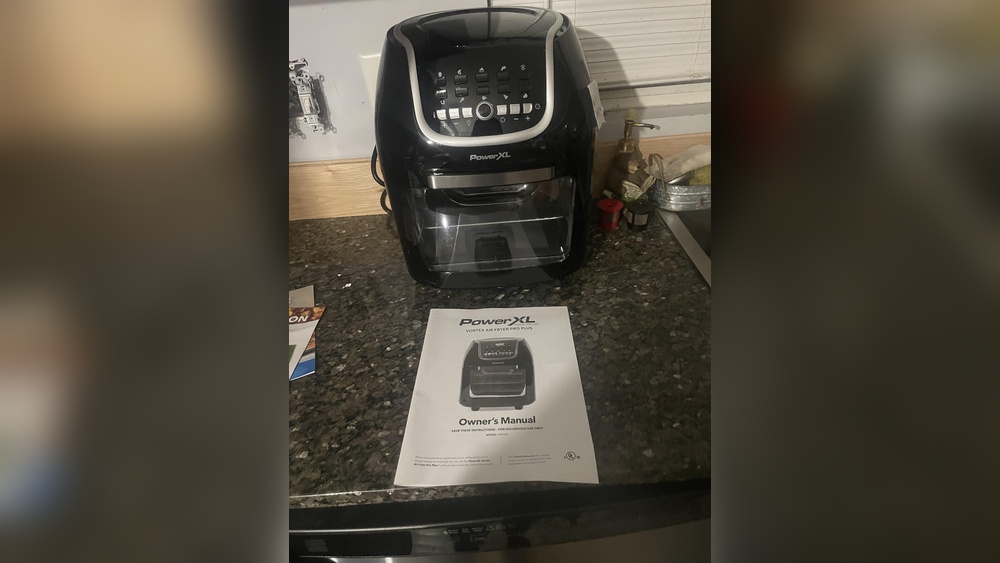
Is the constant beeping of your air fryer driving you a little crazy? You’re not alone.
Those loud alerts can interrupt your cooking flow and even disturb your household. Luckily, turning off the beep on your air fryer is easier than you think. Whether you want complete silence or just want to lower the volume, this guide will walk you through simple steps tailored for popular brands like Cosori, Gourmia, and Philips.
By the end, you’ll have full control over your air fryer’s sounds—making your kitchen a more peaceful place. Ready to silence that beep once and for all? Let’s dive in!

Credit: www.reddit.com
Why Air Fryers Beep
Air fryers beep to communicate with users. These sounds signal different stages of cooking.
Beeping alerts you when the air fryer starts, finishes, or needs attention. It helps avoid overcooking or burning food.
Some air fryers use beeps to remind you to shake or turn food. This ensures even cooking and better results.
Beeping also indicates errors or when the device needs your input. It keeps cooking safe and efficient.
Cooking Alerts And Timers
Beep sounds mark the start and end of cooking timers. They help you track cooking progress without watching the fryer.
This alert system is useful for busy kitchens or multitasking cooks.
Safety And Error Notifications
Beeping warns about errors like overheating or door issues. It protects both you and the appliance.
These sounds prompt you to check the fryer before continuing.
Shake And Turn Reminders
Some air fryers beep to remind you to shake the basket. This action cooks food evenly and crisps it well.
Ignoring these reminders may lead to uneven cooking or soggy results.
User Interaction And Settings
Beeping confirms button presses and setting changes. It gives feedback that the fryer is responding.
It helps avoid mistakes by letting you know your input registered.
Locate Sound Settings
Locating the sound settings on your air fryer is the first step to turning off the beep. Most modern air fryers have a built-in option to adjust or mute sounds. Finding these settings allows you to control the alerts without affecting cooking performance.
Sound settings are often found in the control panel or through the user manual. These options make it easy to customize your air fryer experience to your preference.
Using The Control Panel
Start by turning on your air fryer. Look for buttons labeled “Sound,” “Settings,” or a gear icon. Press this button to enter the sound menu. Some models require holding down two buttons like “Temp” and “Time” together for a few seconds. Watch the display for a message like “Sound Off” or a speaker icon with a slash.
Use the arrow keys or dial to adjust volume or mute the beep. Confirm your choice by pressing “Start” or “OK.” The beep sound should now be turned off or lowered.
Checking The Manual
If you cannot find sound settings on the control panel, check the manual. The manual provides specific instructions for your air fryer model. Look under sections like “Sound Settings,” “Control Panel,” or “Troubleshooting.”
The manual often explains which buttons to press and hold to disable beeps. It may also show pictures of the control panel to guide you. Keep the manual handy for future reference.
Common Button Combinations
Turning off the beep on an air fryer often requires pressing specific button combinations. These combos vary depending on the brand and model. Usually, holding two buttons together for a few seconds mutes the sound. The display often shows a confirmation like “Sound Off.” Below are common combinations for popular air fryer brands.
Cosori Dual Basket
For the Cosori Dual Basket air fryer, press and hold the Temp and Time buttons simultaneously. Keep them pressed for about 3 seconds. The display will show a message confirming the beep is off. To turn the beep back on, repeat the same steps.
Gourmia And Russell Hobbs
On Gourmia and Russell Hobbs models, press and hold the Stop/Cancel button. Hold it for 5 seconds until the beep turns off. The screen may flash or show “Sound Off.” Repeat to reactivate the beep sound. Some models may use the Preheat and Shake buttons instead.
Philips Air Fryers
Philips air fryers usually mute beeps by holding the Start/Pause and Cancel buttons at once. Hold for 3 to 5 seconds. The beep will stop, and a message will appear on the screen. To enable the beep again, press the same buttons together once more.

Credit: www.youtube.com
Step-by-step Mute Process
Silencing your air fryer’s beep sound is easy with a clear, step-by-step process. This guide helps you mute the beeps quickly. Follow these simple instructions to enjoy a quieter cooking experience.
Press And Hold Buttons
Start by pressing and holding two buttons on your air fryer. Common pairs include “Temp” and “Time” or “Stop” and “Cancel.” Hold these buttons for about 3 to 5 seconds. This action activates the mute function on many models. Check your specific air fryer manual if unsure which buttons to press.
Look For Visual Confirmation
Watch the display screen after holding the buttons. It should show a message like “Sound Off” or a small speaker icon with a line through it. This confirms the beep sound is now disabled. Some air fryers may blink or flash to signal the change. Wait until the message appears before releasing the buttons.
Test The Silence
After muting, start a cooking cycle or press any button. Listen closely to check if the beep sound is gone. If you still hear beeps, repeat the process. Some models require a longer hold or different button combination. Once silent, enjoy your air fryer without noise interruptions.
What Sounds Might Remain
Even after turning off the main beep on your air fryer, some sounds might still be heard. These sounds serve important roles. They help keep your cooking safe and remind you of key moments.
Cooking Reminders
Air fryers often have soft beeps that alert you to check your food. These reminders help you shake or flip items for even cooking. The sounds ensure your meal cooks perfectly without burning.
Some models beep when the cooking cycle finishes. This signal lets you know it is time to remove your food. These gentle alerts remain active even if you mute other noises.
Safety Alerts
Certain warning sounds cannot be turned off. They notify you if the air fryer is overheating. These alerts protect your device and your kitchen from damage.
You might hear a beep if the door is open or not closed properly. This sound keeps you aware and prevents accidents. Safety sounds are vital and will usually stay on for your protection.
Troubleshooting Tips
Troubleshooting is key when your air fryer beep won’t turn off. Some models have simple fixes. Others need a reset or physical action. Follow these tips to stop the beeping sound fast.
Standby Mode Actions
Some air fryers beep in standby mode. Press the power button once. This may stop the beep without affecting cooking. Try holding the stop or cancel button for 3 to 5 seconds. This can mute alerts in many models. Check if your air fryer has a dedicated sound or mute button. Use it to toggle beep sounds on and off.
Resetting The Air Fryer
Resetting clears errors causing unwanted beeping. Unplug the air fryer from the outlet. Wait about 5 minutes before plugging it back in. This reboot often stops false alerts. If your model has a reset button, press it with a paperclip. Follow the manual instructions for a factory reset. This method can fix software glitches behind the beep.
Physical Workarounds And Risks
Some users try to block or remove the speaker. Covering the speaker with tape may reduce beep volume. Removing speaker parts is risky. It can damage the air fryer or void the warranty. Physical changes might affect safety alerts. Use these methods only as a last resort and with caution.
Choosing Beep-free Air Fryers
Choosing an air fryer that does not beep loudly improves your cooking experience. Many users find the constant beeping annoying, especially in quiet homes. Selecting a beep-free model means less noise and more peace while cooking. Some air fryers offer options to toggle the sound on or off. Others have very soft beep sounds. It is important to check these features before buying.
Understanding which models have sound options helps you pick the right air fryer. Reading what other users say about the sound can guide your choice. This way, you avoid surprises after purchase. Let’s explore air fryer models with toggle sound options and user reviews to find the best beep-free options.
Models With Toggle Sound Options
Several air fryer brands now include a sound toggle feature. This allows you to turn beeping sounds on or off easily. For example, some models let you mute the beep by holding specific buttons. Others offer a settings menu to adjust the volume or disable sounds completely. These options give you control over your kitchen noise. Look for terms like “silent mode” or “sound off” in product descriptions. Popular brands such as Cosori, Instant Vortex, and Gourmia often include this feature.
User Reviews And Recommendations
Customer feedback is valuable when choosing a beep-free air fryer. Many users share their experience with sound settings in reviews. Look for comments about the ease of turning off beeps and the actual noise level. Recommendations often highlight models that stay quiet during cooking. Some reviewers also mention if the beep is soft or loud. Checking multiple reviews helps you find the model that fits your noise preference. Consider user tips on how to mute or reduce beep sounds effectively.

Credit: www.youtube.com
Frequently Asked Questions
How Do I Turn Off The Airfryer Beep?
Press and hold specific buttons like Temp & Time or Stop/Cancel for a few seconds. Look for “Sound Off” on the display. Button combos vary by brand; check your manual for exact steps. Some reminders may still beep even after muting.
Do Air Fryers Have A Quiet Mode?
Most air fryers do not have a dedicated quiet mode. You can usually mute or reduce beeps via settings. Press and hold specific buttons to toggle sound off. Check your model’s manual for exact instructions. Some alerts, like cooking reminders, may still beep after muting.
How Do I Turn On The Sound On My Air Fryer?
To turn on the sound on your air fryer, access the control panel’s sound settings. Adjust volume using digital controls. Some models require pressing specific buttons to enable beeps. Check your user manual for exact instructions tailored to your air fryer brand and model.
How Do I Turn Down The Volume On My Air Fryer?
To turn down your air fryer’s volume, access the sound settings on the control panel. Press and hold specific buttons like Temp & Time or Stop/Cancel until “Sound Off” appears. Check your manual for exact button combinations, as they vary by brand and model.
Conclusion
Turning off the beep on your air fryer helps create a quieter kitchen. Most models let you mute sounds by holding certain buttons together. Check your air fryer’s manual for exact instructions. Remember, some alerts like “shake food” may still sound.
This simple step can improve your cooking experience greatly. Enjoy cooking without constant beeps and distractions.